The 5D Framework · Phase 03
Design
See the modern product — architecture, data, and UX — before it's built.
Design defines the target the rewrite will conform to, so there are no surprises at the end. It turns the discovered system into a concrete modern blueprint — and because the design system, application shell, and prototypes are generated directly in Figma, your designers refine them in the tool they already use.
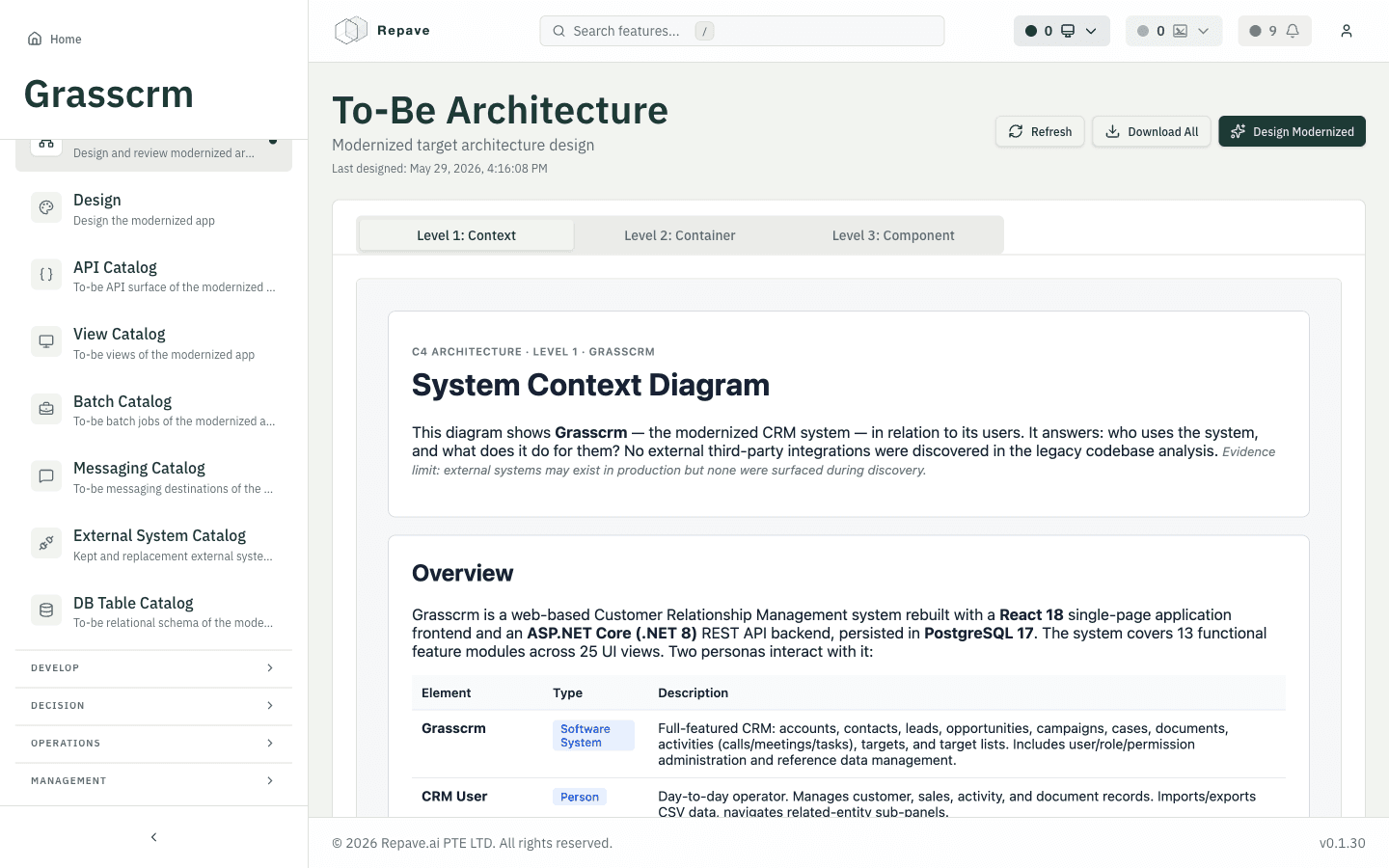
The modern target architecture
A to-be C4 architecture and an explicit stack — here a React SPA frontend with an ASP.NET Core (.NET 8) API on PostgreSQL — designed from the discovered scope.
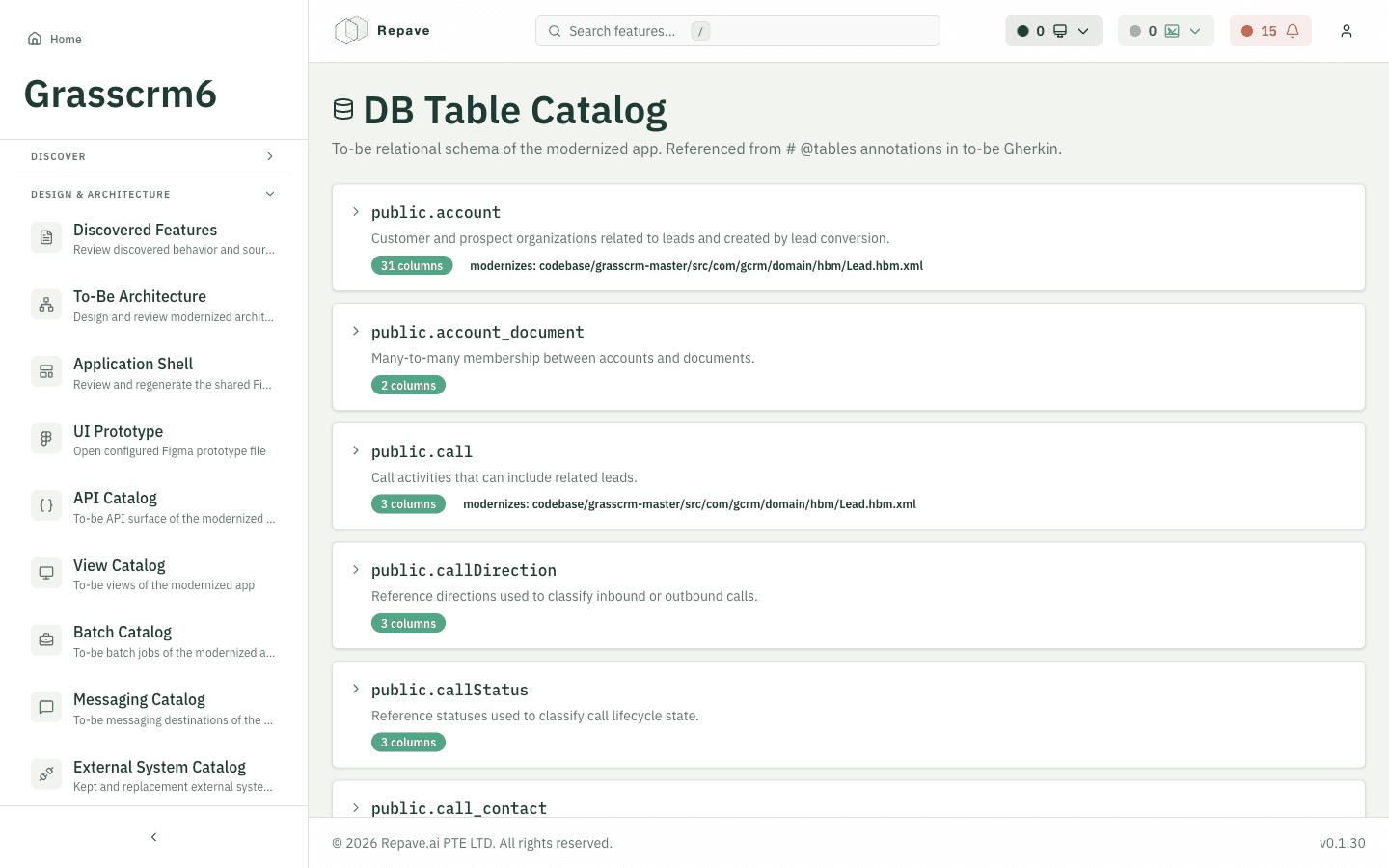
To-be catalogs, traced to legacy
The modern API surface, views, batch jobs, messaging, and relational schema — each item traced back to the legacy artifact it modernizes.
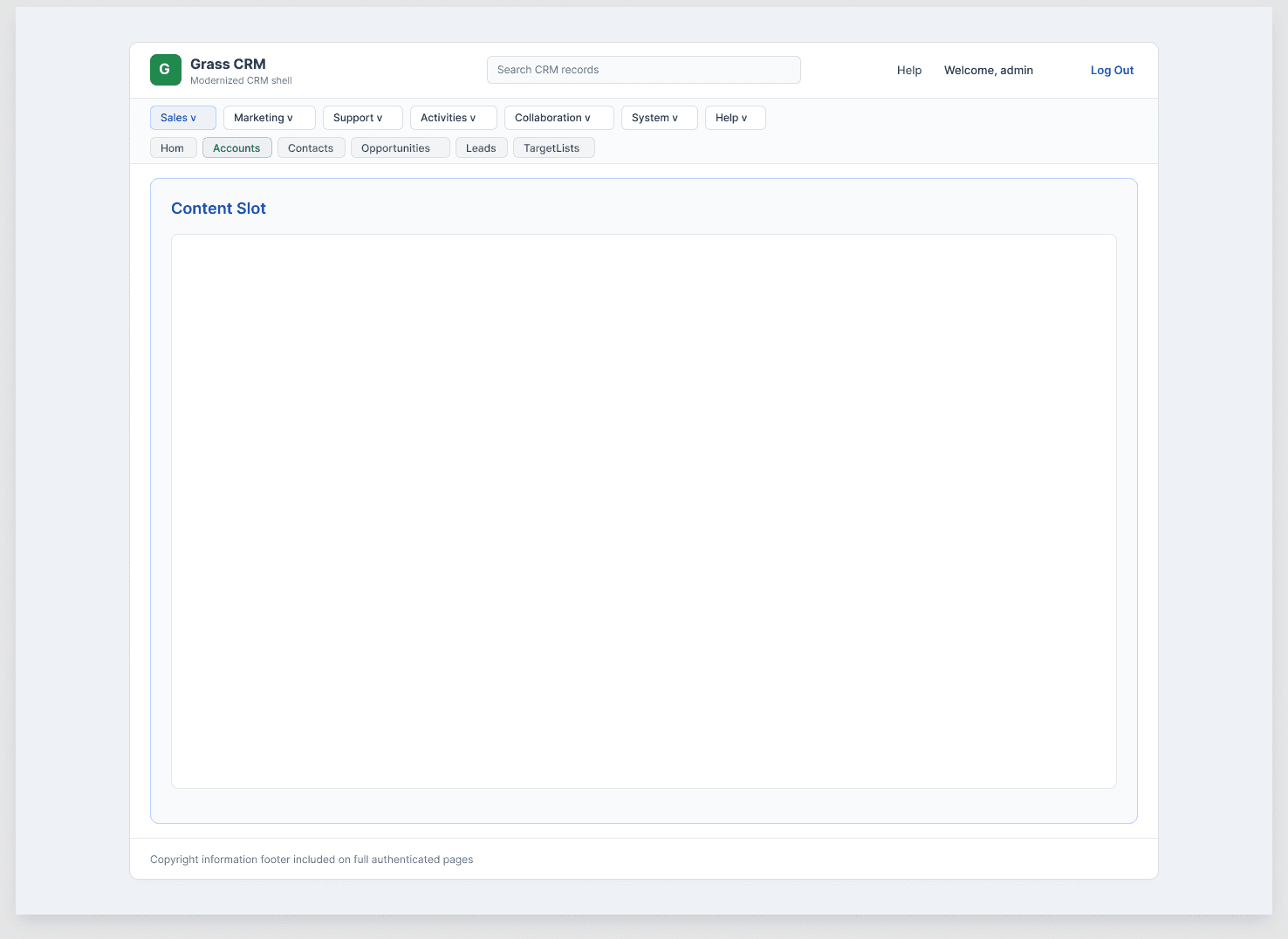
An interactive UI prototype
A reusable application shell and prototypes — modernizing the navigation and interaction model instead of cloning the dated legacy UI.
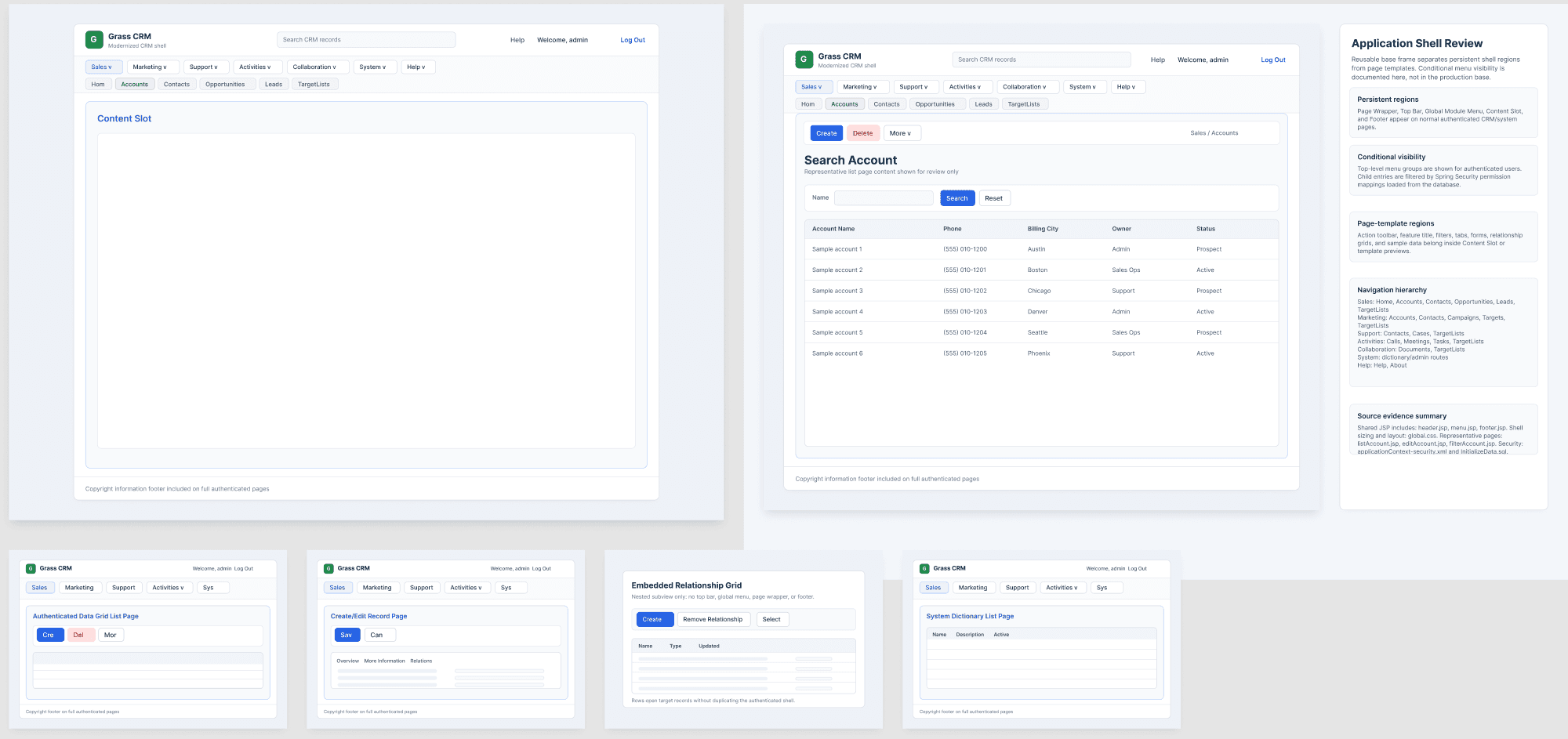
Native Figma integration
Repave generates the design directly in your Figma workspace — the clean application shell, an annotated review version, and page templates for every layout — so your team edits and signs off in the tool they already use.
In the app
Output
The agreed modern blueprint — architecture, schema, and UX
Why it de-risks
Stakeholders sign off on the modern target up front, and impact analysis keeps it in sync as the legacy system keeps changing underneath you.